You spend weeks setting up the store. You sort the products, write descriptions, fix the checkout, and finally go live. Then you wait. A few visitors come in. Maybe a sale or two. And then it hits you – getting the store live was the easy part. Getting actual buyers to find it is the real challenge.
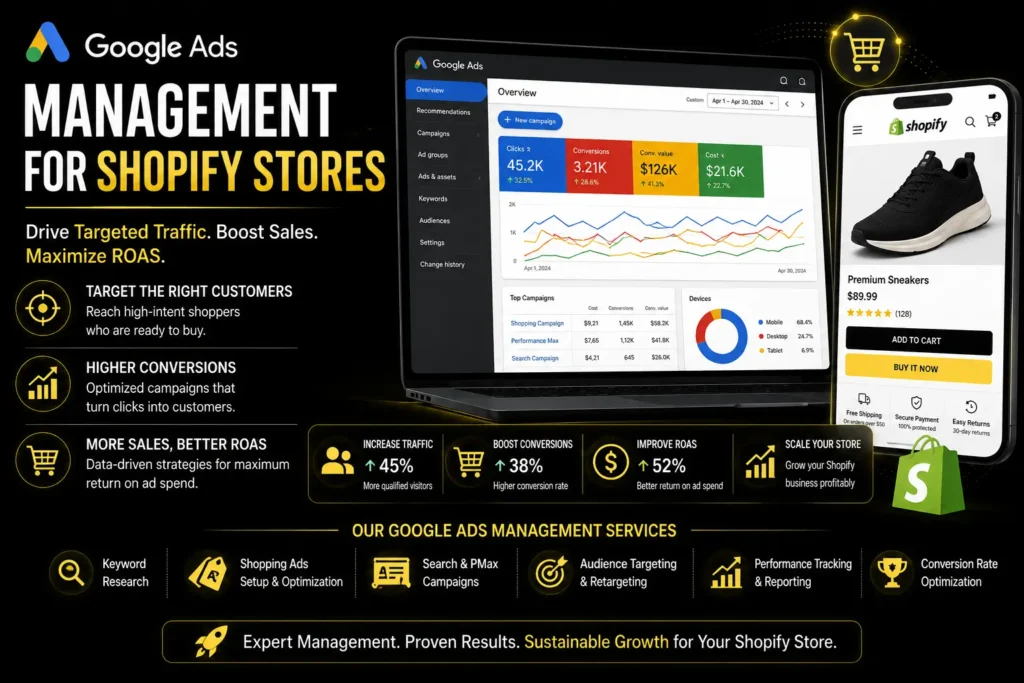
That is exactly where Shopify Google Ads helps. When someone types a product search into Google, they already want to buy something. They are not scrolling to kill time. Your ad showing up at that moment puts you right in front of them when it matters most.
Why Google Works Better Than Social Media For Shopify
On Instagram or Facebook, your ad interrupts someone who was looking at something else entirely. Most people scroll past. On Google, the person has already searched for what you sell. That difference in mindset changes everything.
Someone who types “buy leather wallet for men” into Google is not browsing. They want to purchase. Showing up there is worth a lot more than showing up in someone’s feed between memes and friend updates.
Shopify also connects directly to Google through its built-in Google and YouTube channels. Your products sync automatically. Prices and inventory update without any manual work. It saves a lot of time once your campaigns are running.
Which Google Ad Campaigns Should You Run?
Shopping Campaigns
In shopping ads, your product picture, price, and store name are placed at the top of search results in Google. The person clicking the ad knows what he or she is about to buy. As a result, this kind of traffic is much more likely to make purchases compared to others.
This is the first campaign type you should create to make Shopify Google Shopping work well. Your ability to write good product titles and descriptions affects your ad placements significantly. In many cases, vague titles and blurry pictures ruin everything.
Search Campaigns
Text search ads are shown when the person types certain keywords. The worst thing people do is make their keyword list too broad. “Shoes” is the keyword that will make you waste money fast. “Buy white leather sneakers size 9” would help to find customers.
Stick to search terms that show an intention to buy something rather than gather information.
Remarketing Campaigns
Not all of your website visitors buy from you. They see your advertisements while visiting other sites. Since your company is known by them already, it costs less money to make them do business with you than someone who visits you for the first time.
What Actually Makes Your Ads Perform Better
Sort your product feed first
Your product feed powers your Shopping ads. In case you use vague titles and thin descriptions, your products get less and less exposure from Google, in addition to poor position.
A title such as “Nike Air Max Men Running Shoes Black Size 10” will always beat the one such as “Men’s Shoes”. Titles should be written from the buyer’s perspective: include the brand name, type of product, and one feature of it (e.g., color/size).
Set up conversion tracking before spending anything
If Google does not know which clicks led to purchases, it cannot improve your campaigns toward buyers. It just optimises toward clicks, which is expensive and mostly useless.
Set up the conversion tracking in Google Ads and connect GA4 to ecommerce tracking, turned on. This is the first thing to do before launching a Google Ads for Shopify campaign.
Clean up your search terms every week
Check the search terms report weekly. It shows exactly what people were searching for when your ad appeared. You will find searches that have nothing to do with your products. Add those as negative keywords so you stop paying for clicks that will never buy.
This is boring work. It is also one of the highest-impact things you can do for your return on ad spend.
Your product page does the actual selling
The ad brings someone to your store. It is either the product page that will close the deal or lose it. If it loads slowly, lacks customer reviews, does not indicate the price of the product clearly or the checkout process is too complex, then it will ruin even the most perfectly created ad.
Before increasing your budget, check the product pages carefully. Would you buy from this page if you landed on it as a stranger?
Common Mistakes Worth Avoiding
Not setting up conversion tracking before launching. Ignoring the search terms report for weeks. Sending paid traffic to product pages that are not ready. And cutting campaigns after two weeks, before Google has enough data to learn from.
That last one trips up a lot of store owners. Google needs purchase data to get better at finding buyers. Stopping too early means you never give it a chance.
Should You Do It Yourself Or Get Help?
Starting out, managing your own campaigns makes sense. You learn the platform, which is useful no matter what you do later.
As your spending grows, it gets more complex. Feed management, bid strategy, and campaign structure at scale take real time. Many stores at that stage find it helpful to read more about Google Ads for D2C brand strategy first.
Conclusion
Getting Shopify Google Ads right starts with the basics. Conversion tracking, a clean product feed, maintained negative keywords, and product pages that actually convert. Get those right before scaling. Skip them, and you will just spend more money with less to show for it. Or to work with a focused e-commerce Google Ads agency that knows e-commerce specifically.
FAQs
1. How much should I spend to start?
Enough to run for four to six weeks without needing it to be profitable right away. The first month is mostly data collection.
2. Why am I getting clicks but no sales?
Check your product page first. Load speed, reviews, clear pricing, and a simple checkout. Then check your search terms report to see whether the clicks are even relevant.
3. How long until Google Ads actually works?
Traffic starts quickly. Consistent results usually take six to eight weeks because Google needs purchase data to improve. Cutting campaigns before that point is the most common reason stores say it did not work.