You’ve got a Google Ads campaign that works. Profitable, steady, doing its job.
Obvious next move: raise the budget.
Don’t. Not yet.
Push spend up too fast and your customer acquisition cost (CAC) climbs right along with it. Conversions look great on the dashboard. Margins shrink quietly in the background where nobody’s watching.
So how do you grow this thing without breaking what’s already working?
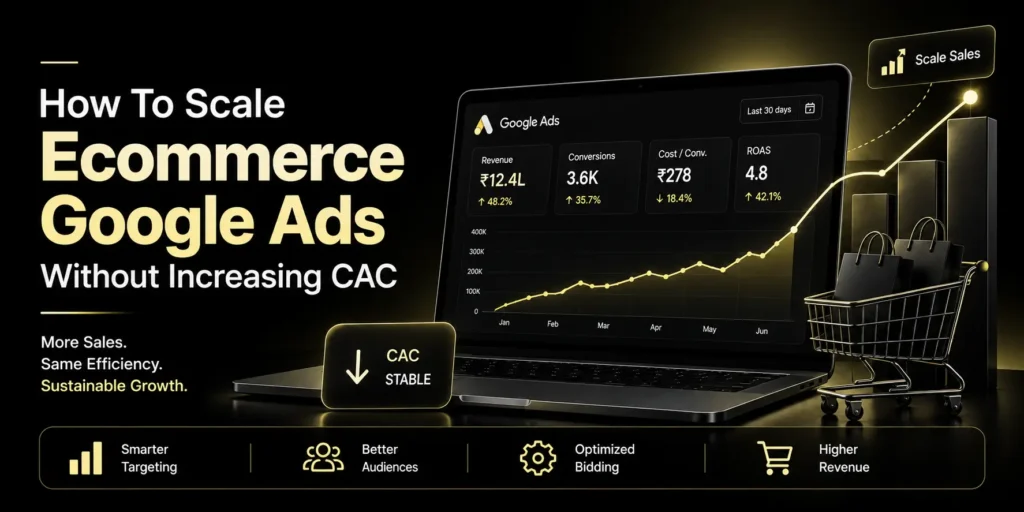
You need a smarter ecommerce Google Ads scaling approach. Fix the system behind your campaigns first. Worry about spending more later.
What Does Scaling Ecommerce Google Ads Actually Mean?
It’s not bumping your daily budget and hoping.
Real scaling means pulling in more profitable conversions while your acquisition costs stay in range. And that means looking at the whole funnel, not just whatever number is easiest to check:
- Traffic quality
- Conversion rate
- Average order value
- Customer acquisition cost
- Conversion value
- Return on ad spend
Google’s Smart Bidding makes use of auction-time signals to bid on conversions or conversion value. Value bidding is where the real power lies for ecommerce brands in particular, since it forces Google to work with the value generated by your ads rather than mere conversion numbers.
How Can You Scale Ecommerce Google Ads Without Increasing CAC?
1. Get Your Tracking Right First
Before touching the budget, check that Google Ads actually knows what a good customer looks like for your business.
Purchase conversions need real transaction values attached. If every sale looks the same to Google, your bidding system is working half-blind, and no amount of budget fixes that.
Google recommends conversion tracking for Performance Max campaigns. Target ROAS leans on accurate conversion values to hit your chosen return.
Clean data, smarter bidding. That’s the whole idea.
2. Scale Winners Gradually
Don’t double a campaign’s budget because yesterday looked good.
Look for the campaigns that show:
- Conversion volume that’s held steady, not spiked once
- A CAC you can actually live with long-term
- Conversion value that’s genuinely strong
- Profitability across weeks, not days
Raise the investment a little. Watch closely. You’re hunting for the point where extra spend still buys profitable demand, and stopping right before it doesn’t anymore.
3. Use Value-Based Bidding
Not every order pulls its weight the same way.
A ₹2,000 sale and a ₹10,000 sale probably shouldn’t get equal priority from your bidding strategy. Pass accurate values through your tracking, and strategies like Maximize conversion value or Target ROAS let Google chase real value instead of blindly counting conversions.
This matters a lot more once your catalog has products at very different price points and margins.
4. Expand With Performance Max
Once your tracking’s solid and there’s enough data behind it, Performance Max opens up Google’s wider inventory. Search, YouTube, Display, Discover, Gmail, Maps, all of it.
Just don’t expect a shortcut.
Give it strong product data, accurate goals, and creativity that’s actually worth showing someone. Google recommends letting new Performance Max campaigns learn instead of poking at them every other day.
5. Improve Your Product Feed
Your product feed carries Shopping and Performance Max on its back, whether you think about it that way or not.
Titles, descriptions, images, prices, availability, check that all of it matches what you’re actually selling.
Then find what’s already pulling sales. That’s where your scaling opportunity lives.
Keep an eye on the products getting clicks but not converting, too. Nine times out of ten it’s not the ad. It’s the price, the landing page, or a product that just isn’t right for whoever’s seeing it.
6. Refresh Your Creative
Scaling has a way of dragging creative fatigue into the light.
Run the same images and copy for too long, and performance erodes without anyone noticing right away. Google recommends reviewing Performance Max assets regularly and swapping the weak ones out rather than deleting them outright.
Test different:
- Product angles
- Offers
- Headlines
- Benefits
- Images and videos
- Calls to action
Keep what works, drop what doesn’t. It’s not more complicated than that.
7. Increase Conversion Rate Before Increasing Spend
Simple math: more conversions come from more qualified traffic multiplied by a better conversion rate.
Convert 2% of visitors right now? Get that to 2.5% and you’ve grown sales without a matching jump in ad spend.
Take a hard look at product pages, mobile experience, checkout, shipping info, reviews, the offer itself.
Sometimes the cheapest way to scale has nothing to do with your ad account. It’s your website.
What Should Your Google Ads Scaling Strategy Look Like?
A Google Ads scaling strategy that actually holds up looks something like this.
- Step 1: Verify tracking and conversion values.
- Step 2: Find what’s already turning a profit, campaigns, products, audiences.
- Step 3: Raise budgets gradually.
- Step 4: Expand into new high-value opportunities.
- Step 5: Test fresh creative and product combinations.
- Step 6: Watch CAC, conversion value, ROAS, and profit. Clicks tell you almost nothing on their own.
Give it time as well. Google says automated campaigns need data before they perform well, and current Performance Max guidance points to roughly six weeks for new campaigns to settle in.
When Should You Work With a Google Ads Agency for Ecommerce?
Account getting hard to manage on your own? A Google Ads agency for ecommerce can help build an actual system instead of you guessing month to month.
Find a partner who cares about outcomes, not vanity metrics. One who can explain:
- Why CAC is moving the way it’s moving
- Which products deserve more budget
- Where the next bit of growth is realistically coming from
- How the bidding strategy connects back to your goals
- Whether extra spend is actually profitable, not just busy
Google Ads Scaling was never really about spending more. The goal is to identify more profitable demand and create something that consistently captures it, month after month.
Conclusion
Trying to figure out how to scale ecommerce Google Ads? Don’t start by asking how much more you can spend.
Ask how much more profitable demand you can actually capture.
Fix your tracking. Improve your site. Scale what’s already proven. Feed Google’s bidding systems good data. Then expand, carefully, not all at once.
That’s how your ecommerce account grows without CAC growing right alongside it.
FAQs
1. How can I reduce CAC with Google Ads?
Get conversion tracking accurate. Work on your conversion rate. Put the budget behind what’s already profitable. Apply value-based bidding when possible. Scale slowly, not suddenly.
2. How fast should I increase my Google Ads budget?
No single percentage works across every account. Base your pace on campaign stability, conversion volume, profitability, and real demand, not some arbitrary rule someone posted online.
3. Can Performance Max help ecommerce brands scale?
Yes, it reaches multiple Google channels and can optimize for conversions or conversion value. But it lives or dies on accurate conversion data, solid product information, decent creative, and enough time to actually learn.