Running Google Ads without checking your reports? That’s driving with your eyes closed.
Maybe you get lucky a while. Eventually, the budget disappears and you’re not sure where it went.
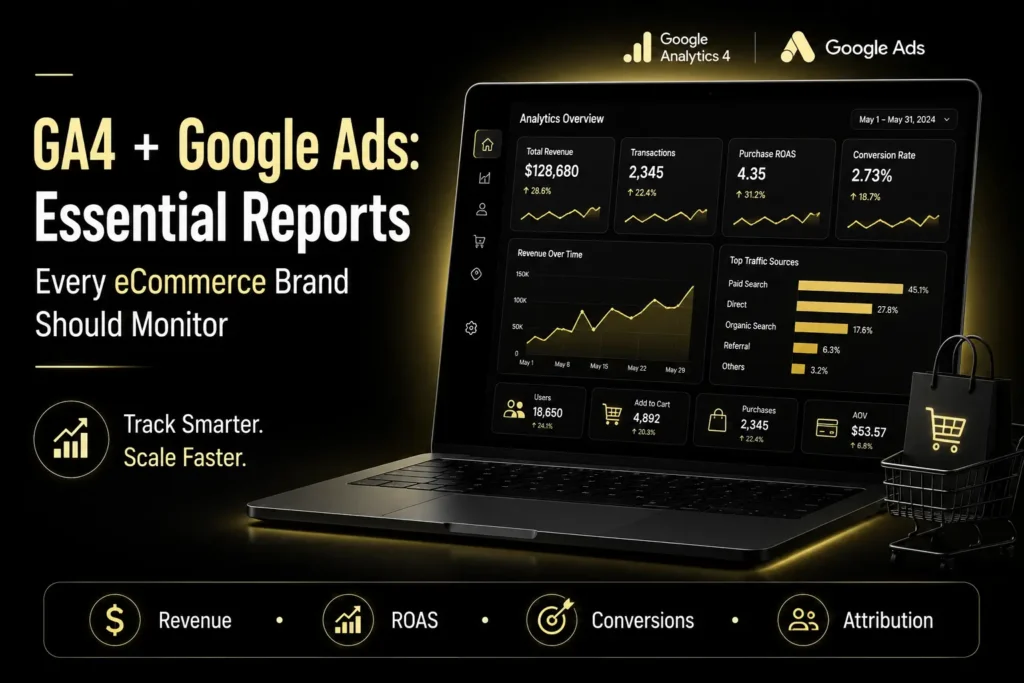
Google Ads Reports and GA4 Reports fix that. Taken together, these will tell you what works, what doesn’t, and where your next sale comes from.
If you have an eCommerce brand, here are the reports that are worth looking into.
Why Use GA4 With Google Ads?
Google Ads tracks how well your ads are performing. GA4 tracks what your visitors do after clicking.
Combined, you will be able to track the entire process, from clicking on the ad to making the purchase. As Google recommends tracking ecommerce events, including view_item, add_to_cart, begin_checkout, and purchase, shopping behavior is also tracked.
This is what Data-Driven Marketing really is all about – basing decisions on real customer behavior, not speculation.
What GA4 Reports Are Worth Monitoring?
1. Ecommerce Purchases Report
Start here. It shows:
- Top-selling products
- Item revenue
- Items viewed
- Add-to-cart actions
- Purchase quantity
Thousands of views, barely any purchases? This report shows you exactly that gap.
2. Traffic Acquisition Report
Not every visitor is worth the same. This report breaks down which channels bring in:
- Revenue
- Conversions
- Engaged sessions
- New customers
Fast answer to whether Google Ads, Organic Search, Email, or Social is actually pulling weight.
3. Landing Page Report
Clicks don’t pay bills. Conversions do.
Spot pages pulling traffic but not converting. Fix those, and sales often climb without spending more on ads.
4. Funnel Exploration
Checkout might be leaking revenue right now. This report tracks:
- Product view
- Add to cart
- Begin checkout
- Purchase
Shoppers dropping off at checkout? Now you know exactly where.
Which Google Ads Reports Matter Most?
Campaign Performance Report
Really just one question here: which campaigns make money?
Watch:
- Conversions
- Cost per Conversion
- ROAS
- Conversion Value
- Click-Through Rate (CTR)
These numbers decide what gets scaled and what gets paused.
Search Terms Report
Keywords and actual search queries aren’t the same. This report shows what people typed before clicking your ad:
- New keyword opportunities
- Irrelevant searches worth cutting
- High-converting phrases
One of the simplest ways to sharpen efficiency.
Asset and Product Performance
Running Performance Max or Shopping? Check which products and assets are pulling conversions.
Strong performers earn more visibility. Weak ones probably need better pricing, sharper images, or a stronger page.
Audience Reports
Audiences don’t all behave the same. This report shows:
- New vs. returning customers
- High-value shoppers
- Demographic trends
- Remarketing opportunities
Sharper targeting, straight from this.
How Do These Reports Support Data-Driven Marketing?
The best marketers skip the gut feeling. They go by data.
Instead of asking which campaign “feels” successful, ask:
- Which channel drives the most revenue?
- Which products convert best?
- Where do shoppers drop out of the funnel?
- Which audience actually comes back?
The dashboard with revenue, conversion, ROAS, and drop-off metrics wins out over vanity metrics that no one uses.
This is Data-Driven Marketing in action.
Common Reporting Mistakes To Avoid
Watch for:
- Tracking clicks, ignoring purchases
- Reading campaign metrics only, skipping behavior
- Skipping ecommerce event setup
- Judging by one day’s numbers instead of a trend
- Checking every report instead of the ones tied to real KPIs
Cleaner reporting means less dashboard time, more time fixing what matters.
Scaling up? Google Ads for D2C Brands covers strategies built for direct-to-consumer growth.
Deciding how to manage your advertising? In-House vs Agency Google Ads Management helps you pick the right setup.
Final thoughts
One question your reports should answer: what’s driving profitable growth?
Combine Google Ads Reports with GA4 Reports, and you get the full customer picture, click to purchase. Skip vanity metrics. Concentrate on revenue, ROAS, and actual Data-Driven Marketing metrics.
Successful businesses don’t just have more data than their competitors. They’re just using the right reports to make better calls.
FAQs
1. Which GA4 report is most important for eCommerce?
The Ecommerce Purchases Report. It measures performance, purchases, and earnings all at once.
2. When should I look at Google Ads Reports?
Every week. High budget campaigns need to be viewed every day to catch any problems early.
3. Why integrate GA4 with Google Ads?
To measure the actions that take place after the click and improve conversion tracking.